
Amazon Carton Labeling: Why Accuracy Is Everything in Logistics
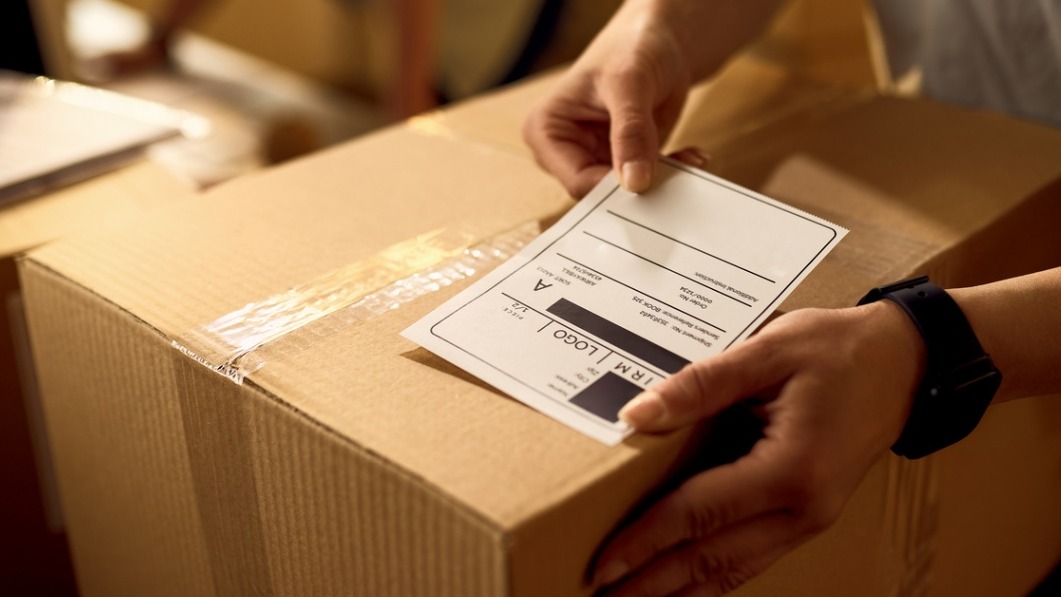
Amazon Carton Labeling
Definition
Amazon Carton Labeling is the process of applying standardized labels to shipping cartons destined for Amazon fulfillment centers. These labels include barcodes, shipment IDs, and product identifiers (such as FNSKU) to enable accurate receiving, sorting, and inventory tracking. Correct carton labeling ensures compliance with Amazon's requirements and reduces delays, misplacements, and processing errors.
Overview
What Amazon carton labeling is
Amazon carton labeling refers to the labels applied to outer cartons when sending inventory to Amazon fulfillment centers or shipping direct-to-customer through Amazon programs. These labels typically contain shipment identifiers, barcodes (such as Amazon shipment ID or FNSKU/ASIN references when required), carton counts, and sometimes box content information (BCI). They allow Amazon's receiving systems and personnel to quickly scan, identify, and process each carton into inventory.
Why accuracy matters — in plain terms
Think of each carton label as the carton’s passport. If the passport is wrong, customs (in this case, Amazon’s inbound system) can’t process it correctly. Accurate labels speed up receiving, ensure items are added to the right inventory pools, reduce manual intervention, prevent chargebacks, and minimize customer-impacting errors like lost inventory or late shipments.
Key benefits of accurate carton labeling
- Faster receiving: Scannable, correct labels let fulfillment center staff or Amazon’s automated systems ingest cartons quickly.
- Inventory accuracy: Correct labels ensure items are placed under the right ASIN/FNSKU and quantity, improving on-hand balances.
- Lower costs and fewer chargebacks: Inaccuracies can lead to receiving fees, relabeling charges, or chargebacks; accuracy reduces these risks.
- Traceability: Accurate labels make it easier to track cartons through the inbound process, handle exceptions, and reference specific boxes in support cases.
- Better customer experience: Accurate inventory leads to better availability and fewer delays in order fulfillment.
Common label elements you’ll see
- Shipment ID or Amazon reference number
- Carton ID and carton count (e.g., Box 1 of 3)
- Barcodes for scanning (shipment barcode, FNSKU or ASIN references where required)
- Weight and dimensions (sometimes required or used by Amazon’s systems)
- Box Content Information (BCI) or a packing list reference if Amazon requires box contents to be declared
Best practices for beginner-friendly implementation
- Follow Amazon’s inbound shipment requirements exactly: Read the specific FBA or seller fulfillment labeling rules for the marketplace you’re using. Amazon updates requirements periodically, so verify before each shipment.
- Use the right barcode and label templates: Print the labels Amazon provides through Seller Central or your shipping portal. Don’t try to recreate barcodes — use the exact files or templates Amazon generates.
- Ensure label quality and print settings: Use a high-resolution printer (thermal label printers are ideal) and good adhesive labels. Barcodes should be crisp and large enough for scanners to read easily.
- Place labels on flat surfaces and avoid seams: Put labels on the largest flat surface of the carton. Avoid edges, corners, or areas covered by tape or straps that could obscure the code.
- Record accurate weight and dimensions: If required, measure and weigh each carton precisely. Inaccurate dimensions often cause discrepancies or additional fees.
- Label every carton in multi-carton shipments: Each carton must have its own unique carton label and clearly indicate carton sequence (e.g., 1 of 4, 2 of 4).
- Protect labels from damage: Use clear label protectors or place labels where they won’t be rubbed off, ripped, or exposed to moisture.
- Verify contents during packing: Cross-check item counts and SKUs against the packing list and the label data before sealing the carton.
Tools and workflows that help
Simple tools drastically reduce errors: a dedicated label printer (thermal), a digital scale and box-dimensioner, barcode scanners for double-checking, and WMS or shipping software that integrates with Amazon to auto-generate correct labels. Many sellers use a packing station workflow where each carton is scanned during packing and again when the label is applied to confirm the contents match the label.
Common mistakes to avoid
- Reusing boxes without removing old labels — can confuse scanners and staff.
- Placing labels over seams or corners — increases risk of ripping or unreadability.
- Using low-resolution or faded prints — scanners fail to read barcodes, causing manual handling delays.
- Mismatched carton counts (e.g., labeling "Box 1 of 3" when there are only two boxes) — leads to inventory exceptions.
- Failing to include required box content information when Amazon mandates it — may delay receiving or trigger fees.
- Covering labels with clear tape that distorts barcode reflection — use non-glossy tape or label protectors to avoid scanner issues.
Real-world example — simple beginner scenario
Imagine a small brand sending three boxes to an Amazon fulfillment center. If one carton is labeled incorrectly as belonging to a different shipment ID, Amazon’s inbound team may put that box on hold. The brand will see a delayed inventory posting, potential removal or relabel fees, and customer orders might be unfulfillable during the hold period. If, instead, the labels were accurate and each box scanned cleanly, all three cartons would be processed quickly and inventory would be available for sale within hours.
How Amazon enforces labeling rules
Amazon may reject shipments, apply fees, or require relabeling if cartons are not labeled correctly. They may also impose chargebacks for repeated non-compliance. Understanding and following Amazon’s current labeling and BCI requirements protects sellers from these penalties.
Carton-level vs item-level labeling — what’s the difference?
Carton-level labeling identifies the outer box for receiving and logistics. Item-level labeling (like FNSKUs on individual units) identifies individual products for inventory tracking and customer fulfillment. Many shipments require both — carton labels for inbound handling and item labels to ensure the correct unit-level identification inside the carton.
Final tips for beginners
- Create a standard operating procedure for packing and labeling and train staff to follow it consistently.
- Run a few test shipments to validate your workflow before scaling volume.
- Use integrated software where possible to auto-generate Amazon-compliant labels and reduce manual input errors.
- Keep documentation of each shipment (photos of labeled cartons, packing lists) to speed dispute resolution if issues arise.
Accurate Amazon carton labeling is a small operational step with an outsized impact: it speeds receiving, improves inventory accuracy, reduces costs, and protects the seller’s reputation. For any seller or warehouse starting with Amazon, treating carton labeling as a critical control point pays dividends in operational reliability and customer satisfaction.
Sources And Additional Reading (3)
- FBA Prep, Packaging, and Labeling: A Beginner’s Guide
“FBA Prep, Packaging, and Labeling: A Beginner’s Guide.” Amazon, https://sell.amazon.com/blog/fba-packaging-prep-labeling.
- Amazon Fulfillment Services
“Amazon Fulfillment Services.” Red Stag Fulfillment, https://redstagfulfillment.com/amazon-fulfillment-services/.
- FBA Prep Services
“FBA Prep Services.” eFulfillment Service, https://www.efulfillmentservice.com/fba-prep/.
More from this term
Looking for a 3PL?
Compare warehouses on Racklify and find the right logistics partner for your business.