
The Perfect Warehouse Layout: Maximize Space, Minimize Cost
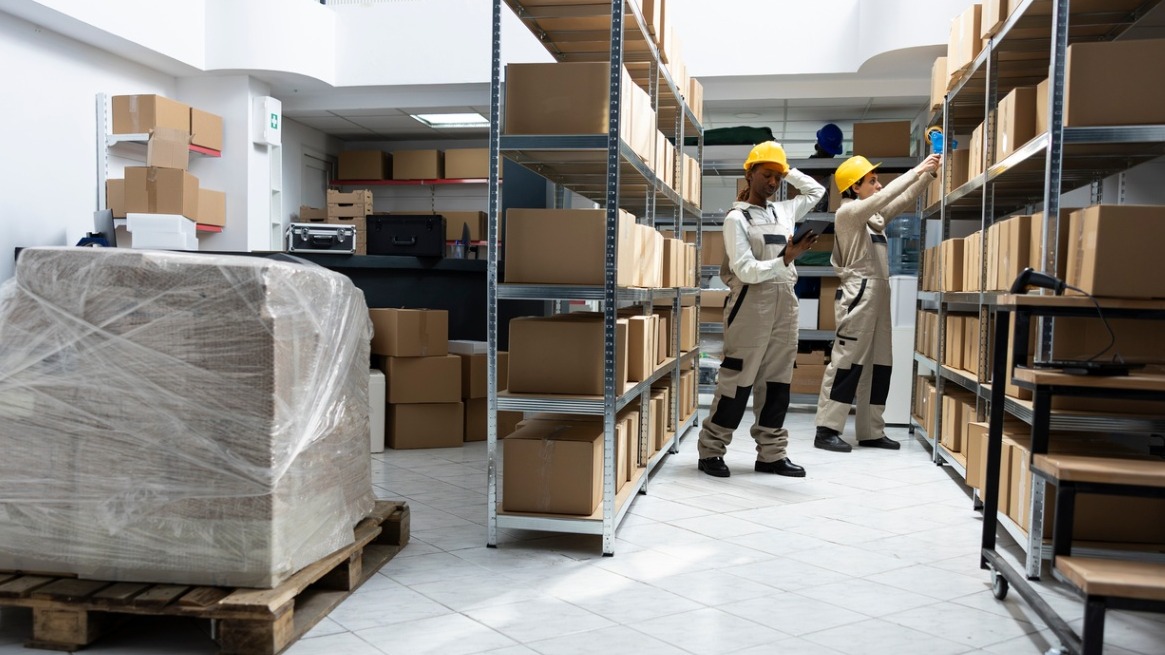
warehouse layout
Definition
Warehouse layout is the planned arrangement of storage areas, aisles, workstations, loading docks, and equipment within a warehouse. It is designed to optimize material flow, storage density, picking efficiency, safety, and operational costs by aligning physical space with workflow and handling requirements.
Overview
Overview
Designing a warehouse layout means arranging the physical spaces and equipment so that products move smoothly from receiving through storage to picking, packing, and shipping. A good layout reduces travel time, lowers handling costs, improves safety, and increases throughput. For beginners, the goal is simple: let processes—receiving, storing, picking, and shipping—drive the arrangement, and then optimize within that structure.
Why layout matters
A well-considered layout minimizes unnecessary movement, frees up usable space, speeds order fulfillment, and reduces labor and equipment costs. It also affects inventory accuracy, worker safety, and the ability to scale operations when demand grows or product mix changes.
Core components of a warehouse layout
- Receiving area — space for unloading, checking, and staging incoming goods.
- Storage areas — racks, shelves, bins, or floor stacking for long- and short-term inventory.
- Picking zones — areas organized to support chosen picking methods (single-order, batch, wave, zone).
- Packing and consolidation — stations for inspecting, packing, and combining items for shipment.
- Shipping area — staging, loading docks, and labeling areas for outbound freight.
- Value-added/service areas — returns processing, kitting, quality control, or repacking.
- Support spaces — office, maintenance, restrooms, and safety equipment storage.
Common layout patterns
There are typical configurations that match building shapes and workflows. Choose the one that best aligns with your product flow and dock locations:
- I-shaped (straight flow) — docks on one end, goods move in a straight line to shipping. Simple and efficient for high-throughput operations.
- U-shaped — receiving and shipping are adjacent on the same side, creating looped flows that are easy to manage and minimize cross-traffic.
- L-shaped — useful for buildings with docks on adjacent walls or when separating receiving and shipping is beneficial.
- Modular/clustered — multiple mini-process loops for different product families (common in mixed-SKU or multi-client warehouses).
Steps to design a practical layout
- Map current processes — document receiving, putaway, picking, packing, returns, and shipping flows. Track travel paths and bottlenecks.
- Analyze product characteristics — SKU size, weight, velocity (ABC analysis), seasonality, and storage requirements (e.g., temperature control).
- Estimate throughput and space needs — forecast volumes, peak demand, and safe storage densities. Include aisle widths, forklift turns, and staging areas.
- Select storage and handling equipment — pallet racking, cantilever, flow racks, mezzanines, conveyors, or automated systems depending on budget and needs.
- Design logical zones — cluster fast-moving SKUs near packing and shipping; place slow movers in higher, less-accessible locations.
- Plan for safety and compliance — fire aisles, emergency exits, signage, and ergonomics for manual tasks.
- Simulate and test — use simple paper simulations, walk-throughs, or digital tools to validate flows before committing to fixed installations.
- Iterate and improve — collect KPIs and worker feedback and refine the layout over time.
Space-utilization techniques
- Slotting — assign SKUs to locations based on picking frequency and compatibility; revisit regularly.
- Dynamic vs. fixed locations — dynamic locations increase space efficiency for variable inventory; fixed locations simplify training and accuracy for high-turn SKUs.
- Vertical utilization — use the building height with appropriate racking and safety measures to increase usable cubic footage.
- Density systems — drive-in/drive-through racks, push-back, or pallet flow increase storage density for homogenous loads.
- Mezzanines — add floor area for packing or light storage without expanding the footprint.
Balancing cost and performance
Cost decisions often come down to labor vs. equipment vs. space. Higher-density systems and automation raise capital expense but can reduce labor and lower long-term operating costs. For smaller operations, simple racking, smart slotting, and process improvements usually yield the best ROI.
Technology to support layout effectiveness
- Warehouse Management System (WMS) — enforces slotting rules, optimizes putaway and picking paths, and provides real-time visibility.
- Slotting and simulation tools — model product flows and calculate expected savings from layout changes.
- Material handling controls — conveyors, pick-to-light, and voice picking systems that reduce travel and errors.
KPIs to track layout performance
- Order cycle time — time from order receipt to shipment.
- Travel time per pick — average travel time for pickers.
- Space utilization — percentage of usable cubic or floor space occupied.
- Labor cost per order — labor hours divided by orders or lines picked.
- Accuracy and returns rates — to measure picking errors caused by layout or process issues.
Best practices (beginner-friendly tips)
- Start with a clear process map: know how products move today before drawing new layouts.
- Prioritize fast movers: place high-velocity SKUs closest to packing and shipping.
- Design for people first: aisles, signage, and ergonomics reduce errors and injuries.
- Plan flexible space: use modular racking and temporary staging to handle seasonal peaks.
- Invest in training: even modest tech or layout changes need staff buy-in and instruction to deliver benefits.
Common mistakes to avoid
- Designing purely for storage density and ignoring operational flow — leads to slow picking and higher labor costs.
- Underestimating aisle width needs for equipment and safety clearances.
- Failing to plan for growth or seasonal spikes — forcing costly rework later.
- Choosing complex automation before processes are stable — technology amplifies bad workflows.
- Not measuring results — without KPIs you won’t know if a new layout improved performance.
Real-world examples
Example 1: A small e-commerce seller rearranged so the top 20 SKUs were within 10 meters of packing, introduced batch picking for multi-line orders, and cut average order fulfillment time by 30%.
Example 2: A regional distributor converted underused aisle space into a cross-dock lane and reduced staging time during peak trucks, improving dock throughput and reducing detention charges.
Quick checklist before implementation
- Validate SKU data and demand profiles.
- Measure actual aisle and ceiling heights and account for handling equipment.
- Sketch process flows and simulate peak scenarios.
- Get staff input and run small pilots.
- Monitor KPIs and refine layout iteratively.
Final thought
There is no single "perfect" warehouse layout—only the right layout for your operations, product mix, and growth plan. Start with simple, process-driven designs, prioritize fast movers, and measure results. Incremental improvements, guided by data and staff feedback, typically deliver the best balance of space utilization and cost savings.
More from this term
Looking for a 3PL?
Compare warehouses on Racklify and find the right logistics partner for your business.