
The Technical Workflow: How Scan-to-Pack Integrates with WMS
Scan-to-Pack
Definition
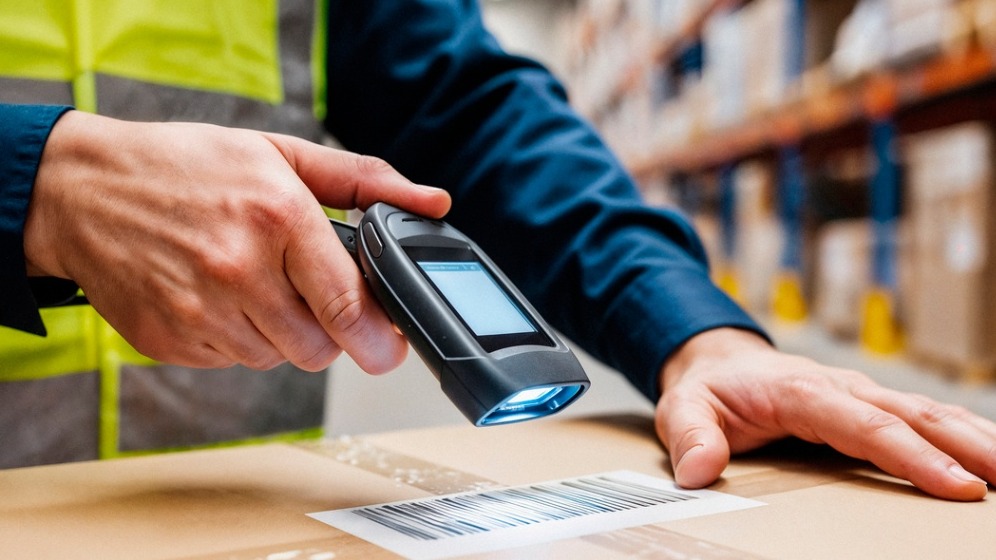
Scan-to-Pack is a warehouse process where each picked item is scanned at the packing station to confirm the correct SKU and quantity before shipment. It leverages barcode or RFID scanning integrated with a WMS to reduce errors, improve order accuracy, and streamline fulfillment.
Overview
Overview
The trigger phase of Scan-to-Pack is the first and critical step that establishes the digital context for a physical packing operation. At this moment a human operator or automated device scans a master order barcode, tote ID, or packing station tag. That scan functions as a request to the WMS to retrieve and verify the order profile, confirm pick completion status, and set the packing workflow into an active state. Without accurate ingestion and verification at this stage, later validations, inventory adjustments, and shipping actions can be compromised.
How it fits into Scan-to-Pack
This phase bridges the picking and packing stages. Picking may have been performed across multiple zones or by multiple pickers; the trigger aligns all picked items to a single order or tote. The WMS uses the scanned identifier to fetch an order header and item-level details, verify that picks are assigned and marked as completed or in-transit, and lock the order so concurrent operations do not conflict with packing.
Key technical interactions
- Scanner input: The handheld or fixed scanner reads a master barcode or RFID tag and sends that payload over the local wireless network.
- Network/API call: The scanner or its middleware issues a WMS API request (often RESTful) that includes the scanned ID and operator credentials.
- Order retrieval: The WMS queries its database to pull the active picking list, item quantities, fulfillment rules, and any pending exceptions.
- Verification logic: Business rules validate that the order is in a packable state (e.g., all required picks completed, no holds for payment or compliance).
- State change: The WMS marks the order as “in packing” or attaches the tote to the packer session to prevent duplicate processing.
Data considerations
Real-time accuracy is essential. The WMS must maintain low-latency responses to the scanner so the operator can proceed without delay. Timestamps, operator IDs, and device IDs should be recorded for auditability. Systems often include an optimistic locking mechanism to avoid race conditions when multiple devices reference the same order.
Best practices
- Unique master identifiers: Use unambiguous tote or order barcodes (or RFID) that the WMS recognizes immediately; avoid reuse of IDs without lifecycle management.
- Pre-flight checks: Configure the WMS to run quick validations — pick completion, holds, forbidden SKUs — and return concise actionable messages to the packer.
- Graceful error handling: Provide clear error codes and remediation steps on the scanner screen when an order cannot be ingested.
- Locking and session management: Implement soft locks tied to operator sessions with timeouts to recover locked orders from orphaned devices.
- Redundancy and offline workflows: For warehouse areas with intermittent connectivity, allow scanners to cache scans and synchronize when back online while preventing duplicate pack confirmations.
Common mistakes and pitfalls
- Weak validation rules: Accepting a master scan without verifying pick completion can lead to shortages, partial shipments, or subsequent returns.
- Poor identifier hygiene: Reusing tote IDs or failing to clear previous associations causes misapplied shipments.
- Latency tolerance mismatch: Slow API responses frustrate operators and increase manual interventions; monitor and set SLAs for API latency.
- Insufficient audit logs: Not recording who ingested the order and when makes troubleshooting and claims resolution difficult.
Implementation tips for beginners
Start with a small pilot containing a controlled set of orders and a limited number of packers. Configure the WMS to show a simple “order ready / not ready” response to a master scan and include a clear reason for non-readiness. Use handheld devices with good Wi‑Fi coverage and test recovery scenarios: device reboot, network drop, and concurrent scans. Monitor timing from scan to WMS acknowledgment and iterate until responses are near-instant.
Real-world example
A mid-sized e-commerce fulfillment center assigns totes to multi-order picks. When a packer scans the tote barcode at the packing station, the WMS confirms that all items assigned to that tote have completed picking and moves the tote to the packing queue in the system. If one SKU is marked as missing, the WMS prevents packing and routes the tote to a recovery flow, preventing a partial shipment.
Metrics to monitor
Key metrics include API response time for master scans, rate of failed ingestion attempts, time from master scan to first item scan, and number of unlocked or orphaned orders recovered per shift. Tracking these helps identify systemic issues in network, database, or workflow design.
Why it matters
Accurate and timely ingestion and verification ensure packing activities are based on the latest, authoritative order state. That reduces shipping errors, improves packer productivity, and creates a defensible audit trail for customer service and compliance.
More from this term
Looking for a 3PL?
Compare warehouses on Racklify and find the right logistics partner for your business.